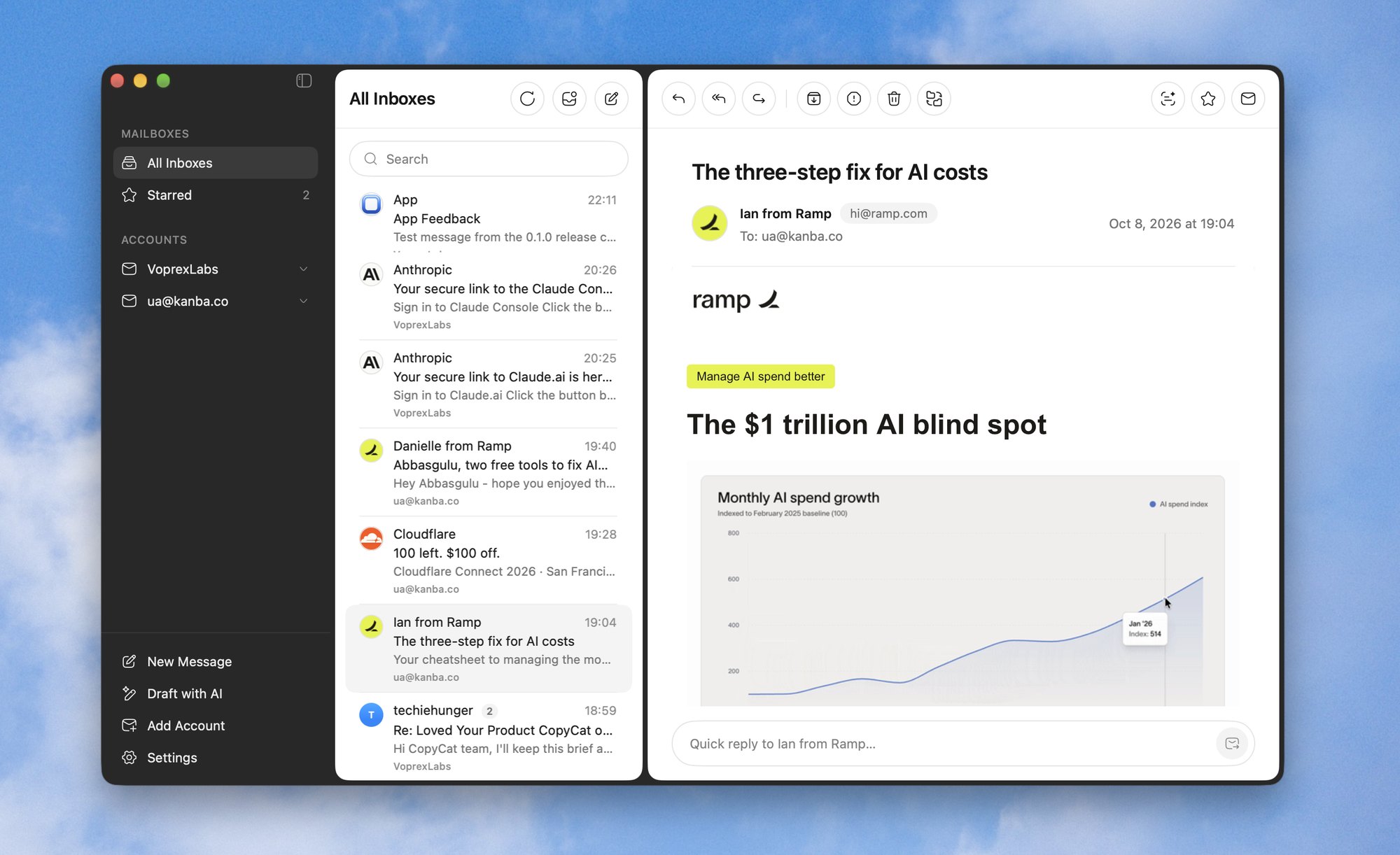
A Mac mail app for people who live in their inbox: Gmail, Outlook, iCloud and every IMAP account in one window, sign-in codes one click away, and AI that drafts and summarizes when you ask.
Verification codes and magic links are the mail you open most and read least. GotEmail finds them, so you never hunt through a message again.
Your Notion sign-in code
482 913 Sign-in link
N
Notion notify@mail.notion.so
Right above the message
The code sits by the subject. One click copies it; the sign-in link opens in your browser.
482 913Notion
Copy
Linear sent a sign-in link
Even while you're elsewhere
A banner shows the code the moment it arrives, with Copy right there, whichever app is in front.
3
Codes from the last 15 minutes
Notion482 913
GitHub771 204
StripeSign-in link
From the menu bar
Every code of the last 15 minutes, a click away, without opening the window.
Built-in AI
It writes when you ask. And reads the long ones.
No key, no setup, no extra subscription. Any language in, any language out.
Tell Sam the launch moves to Friday. Keep it warm.
Launch moves to Friday
Copy Send…
Draft with AI
Say what the email should say, in any language. The draft streams in; ask for changes, edit it in place, or send it.
M
Venue contract for the offsite
Maria, Tom and you · 7 messages
Summary
Maria accepted the revised quote of $4,800 for 40 people. The venue needs the signed contract and the deposit by Friday, Oct 24. Tom asked to add a vegetarian lunch.
Summaries on demand
Two or three sentences about a message or a whole thread, with the dates, deadlines and amounts pulled out.
How it works
Three steps. No learning curve.
From download to a working inbox in a couple of minutes.
Add your accounts
Outlook and Microsoft 365 sign in with Microsoft. Gmail, iCloud, Yahoo, AOL, Fastmail, Zoho or any IMAP server sign in with an app password. Server settings are filled in for you.
Read and reply
All inboxes in one list, conversations grouped, sender logos, search that asks your server too. Reply right under the message.
Let AI do the typing
Describe an email and get a draft to send. Ask for a summary of a long thread. It is built in, with nothing to set up.
Features
Small app. Sharp tools.
Everything you need from a mail app, and nothing you don't.
All inboxes, one list
Every account in one view, a Show Unread switch, and a Starred mailbox that gathers starred mail across accounts.
New
Outlook & Microsoft 365
Outlook.com, Hotmail, Live and work accounts, custom domains included. Sign in with Microsoft, on Microsoft's own page.
New
Labels
Work, Personal, Purchases and your own, across every account. Drag mail onto a label; click it to see everything it carries.
New
Translate, on your Mac
Any message into your language with Apple's translation, right on your Mac. Nothing leaves it, and Show Original brings the message back.
New
Know when it's read
Turn tracking on and see when a message you sent was opened and which link was clicked, with a notification the first time. Ask for a read receipt too.
New
Calendar & Contacts
Invitations show at the top of the message, in your time zone, with the meeting link; Add to Calendar puts them in. Contacts gathers everyone you write to, with your recent mail both ways.
New
Shortcuts, your way
GotEmail's ⌘ keys, Gmail's single keys (C, R, E, J, K), or set your own.
New
In your menu bar
Your unread count at a glance, and a menu to write, check for mail or open the window.
New
Light, dark or automatic
Your mail follows the look you choose, or the Mac's. The sidebar stays dark.
Know the moment mail lands
Every inbox stays live over IMAP IDLE. New mail shows as a notification, even with the window closed.
Write it properly
A rich text editor with bold, lists and links. Attach files by drag and drop. Replies quote the original with its formatting.
Seamless updates
New versions arrive in the app with one click: signed, notarized and verified by macOS.
From X
What people say.
Replies under @uaghazadae's launch posts, quoted as written, in a new order every visit. Each card opens the reply on X.
Not for you? Write to us within 7 days of buying and we refund you in full. Sold by Voprex Labs (AGHAZADA LLC) through Polar · Terms · Refund Policy
FAQ
Questions, answered.
How many Macs can I use it on?
All of yours. One license activates on every Mac you own, and you can free a Mac's seat yourself in Settings, without writing to support.
Which email accounts work?
Gmail, Outlook.com, Hotmail, Microsoft 365, iCloud, Yahoo, AOL, Fastmail, Zoho and any IMAP/SMTP server. Microsoft accounts sign in with Microsoft, on Microsoft's own page. Gmail, iCloud, Yahoo and AOL sign in with an app password, not your account password: you make one in your account's security settings in a minute, and the app takes you to the right page.
How do sign-in codes work?
When a message carries a one-time code or a sign-in link, GotEmail shows it as a pill next to the subject: one click copies the code or opens the link. A code that arrives while you are in another app shows as a banner with Copy, and the menu bar keeps the codes of the last 15 minutes. It all happens on your Mac.
Is the price going up?
Yes. The next 150 customers (100, and 50 more added) pay $49.99, and after that GotEmail is $79.99. A license bought at $49.99 stays yours, updates included.
What if it is not for me?
Write to us within 7 days of buying and we will refund you in full.
Does my mail go anywhere?
No. GotEmail talks to your mail servers directly, and it has no account with us and no tracking. When you ask for an AI draft or a summary, that request goes to OpenAI through our service; nothing is sent otherwise. Every network request is listed in the privacy policy.
Which macOS versions are supported?
macOS 15 Sequoia and later, on Apple silicon and Intel Macs.
Why is it not on the Mac App Store?
Selling it ourselves lets us ship updates the day they are ready. Every build is signed, notarized by Apple and checked by macOS when you open it.
Beta On TestFlight
GotEmail for iPhone.
Every account in one inbox, now in your pocket. New mail the moment it lands, sign-in codes in one tap, and labels that stay in sync with your Mac.
Already on the Mac? One scan moves every account across, passwords included.
 New in 0.7 Apple Intelligence, Translate, Notes & Templates, colours of your own, and more →