 GotEmail
You use AI for writing and work every day. But it can't see your email, so you copy messages into the chat and copy answers back. GotEmail fixes that. Its built-in MCP server lets the AI app on your Mac read your mail and help with it.
What you can ask
- "What came in today? Does anything need an answer?"
- "Find the Figma invoice from October and tell me the total."
- "Sum up my thread with Gustav."
- "Archive this week's newsletters."
- "Reply to Gustav: Thursday works."
Which AI apps work
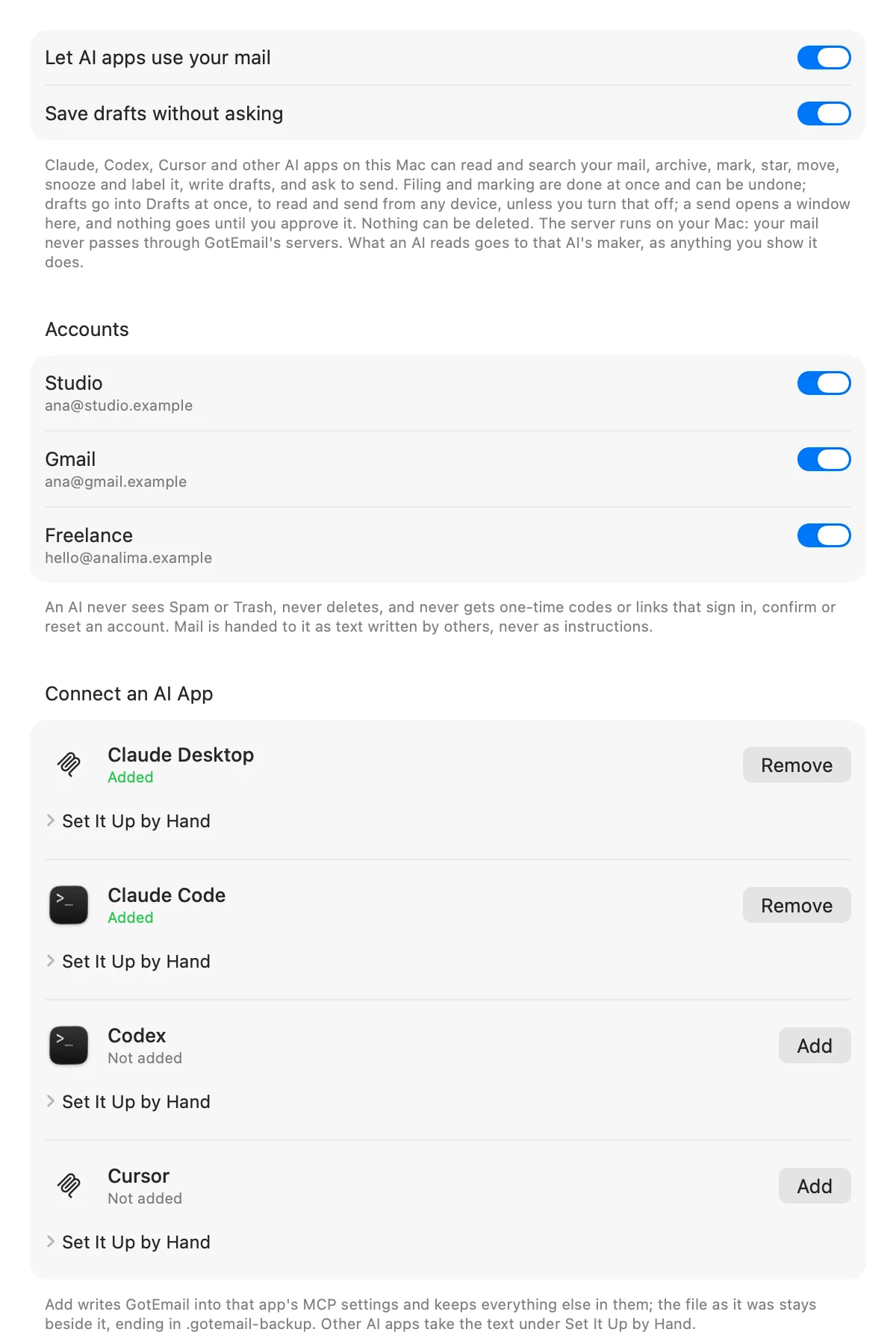
One click adds GotEmail to Claude Desktop, Claude Code, Codex and Cursor. Using another AI app, such as LM Studio? Set It Up by Hand gives you the settings to copy.
How to connect
- Open Settings → MCP and turn on Let AI apps use your mail.
- Choose accounts. Turn off any account the AI shouldn't see.
- Click Add next to your AI app.
- Restart the AI app and ask: "What came in today?"
You stay in charge
- Reading and searching: done right away.
- Archive, mark read, move, label: done right away, with Undo.
- Drafts: saved in Drafts for you to check.
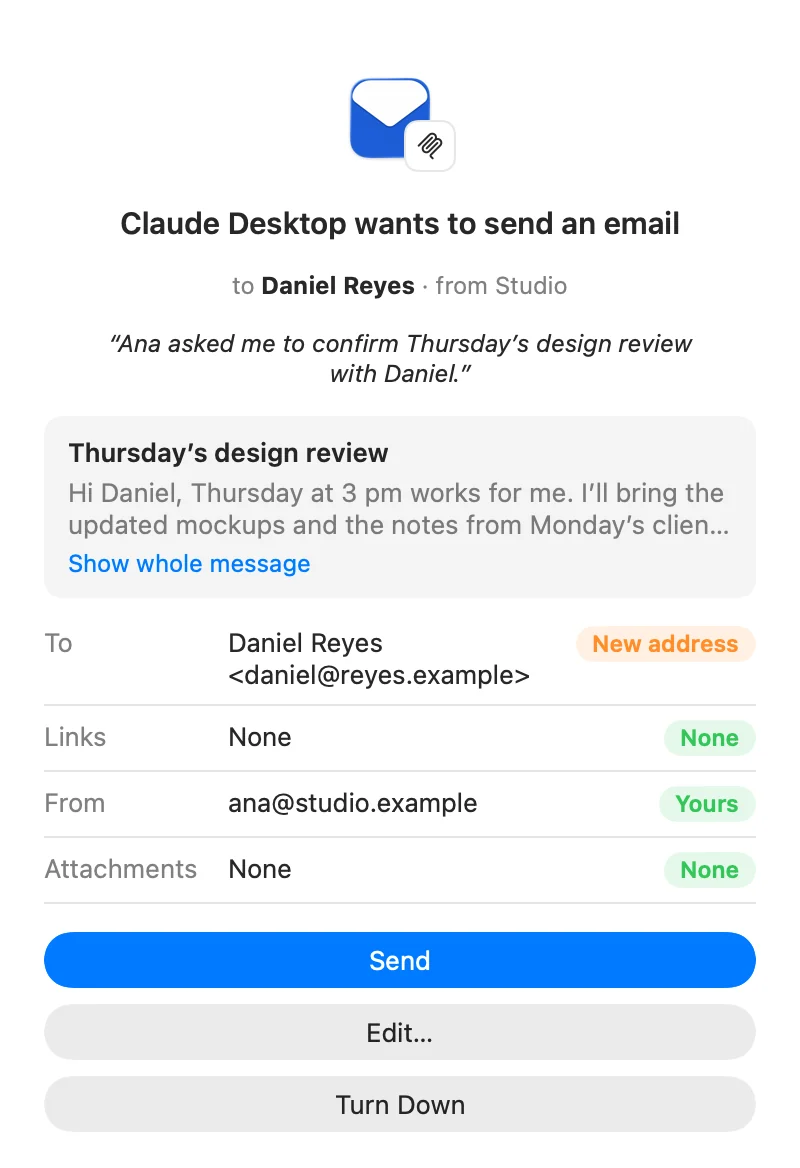
- Sending: always waits for you.
When the AI wants to send, GotEmail shows the message first. You see who it's going to and which links it holds. Then you choose Send, Edit… or Turn Down.
Private by design
The server runs on your Mac. Your mail never passes through GotEmail's servers. The AI never deletes mail, never sees Spam or Trash, and never gets sign-in codes.
Questions
What is MCP?
MCP (Model Context Protocol) is the standard way AI apps connect to other apps. GotEmail supports it, so your AI app can use your mail.
Can the AI send email by itself?
No. Every send waits for you in GotEmail. You click Send, Edit… or Turn Down.
Does my mail go through GotEmail's servers?
No. It all runs on your Mac. What the AI reads goes only to that AI's maker, as anything you paste into it would.
Can the AI delete mail?
No. It never deletes, never sees Spam or Trash, and never gets sign-in codes.
Does it work with ChatGPT or claude.ai in the browser?
Not today. Those can only reach servers on the internet, and GotEmail keeps your mail on your Mac.