 GotEmail
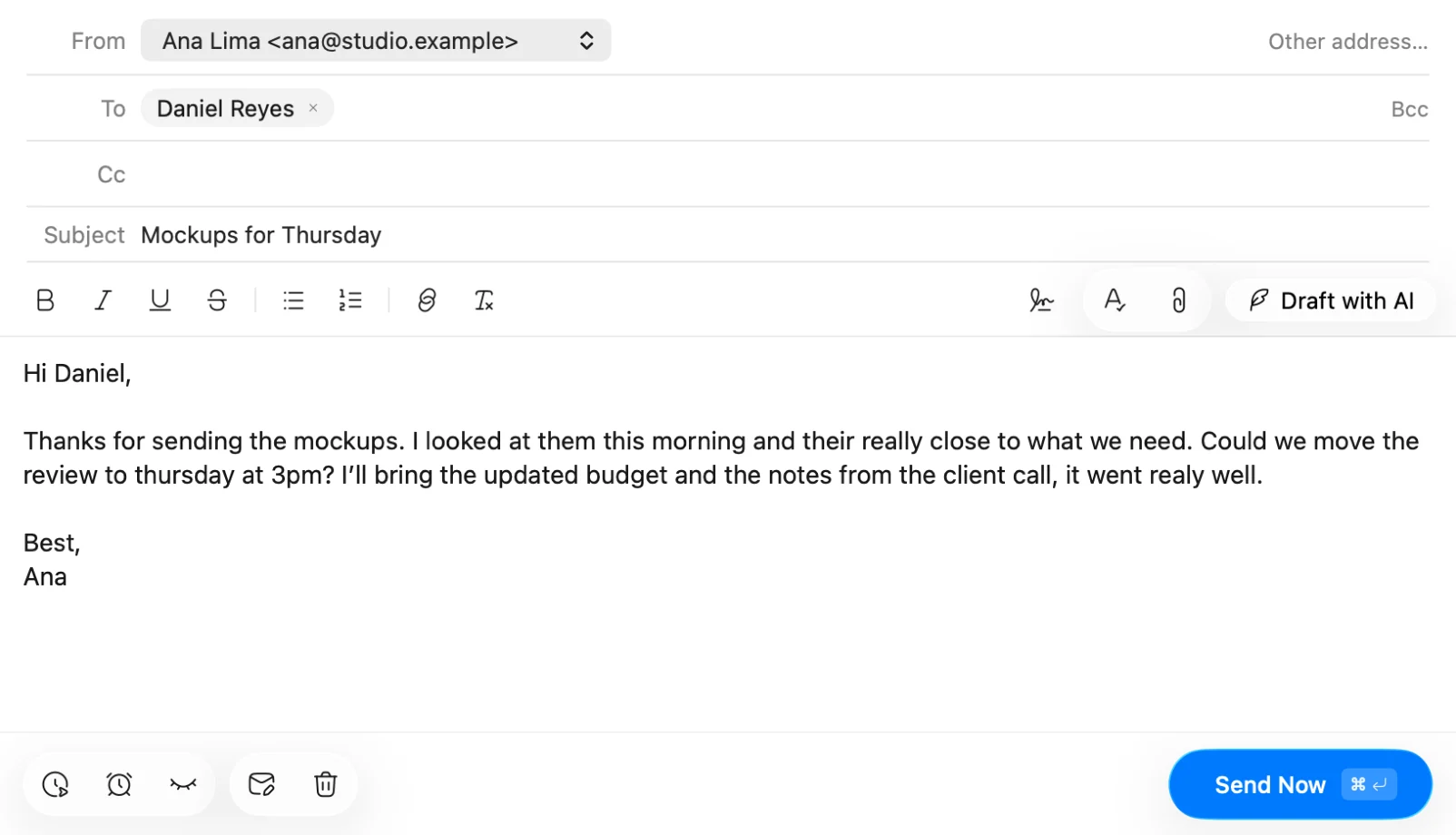
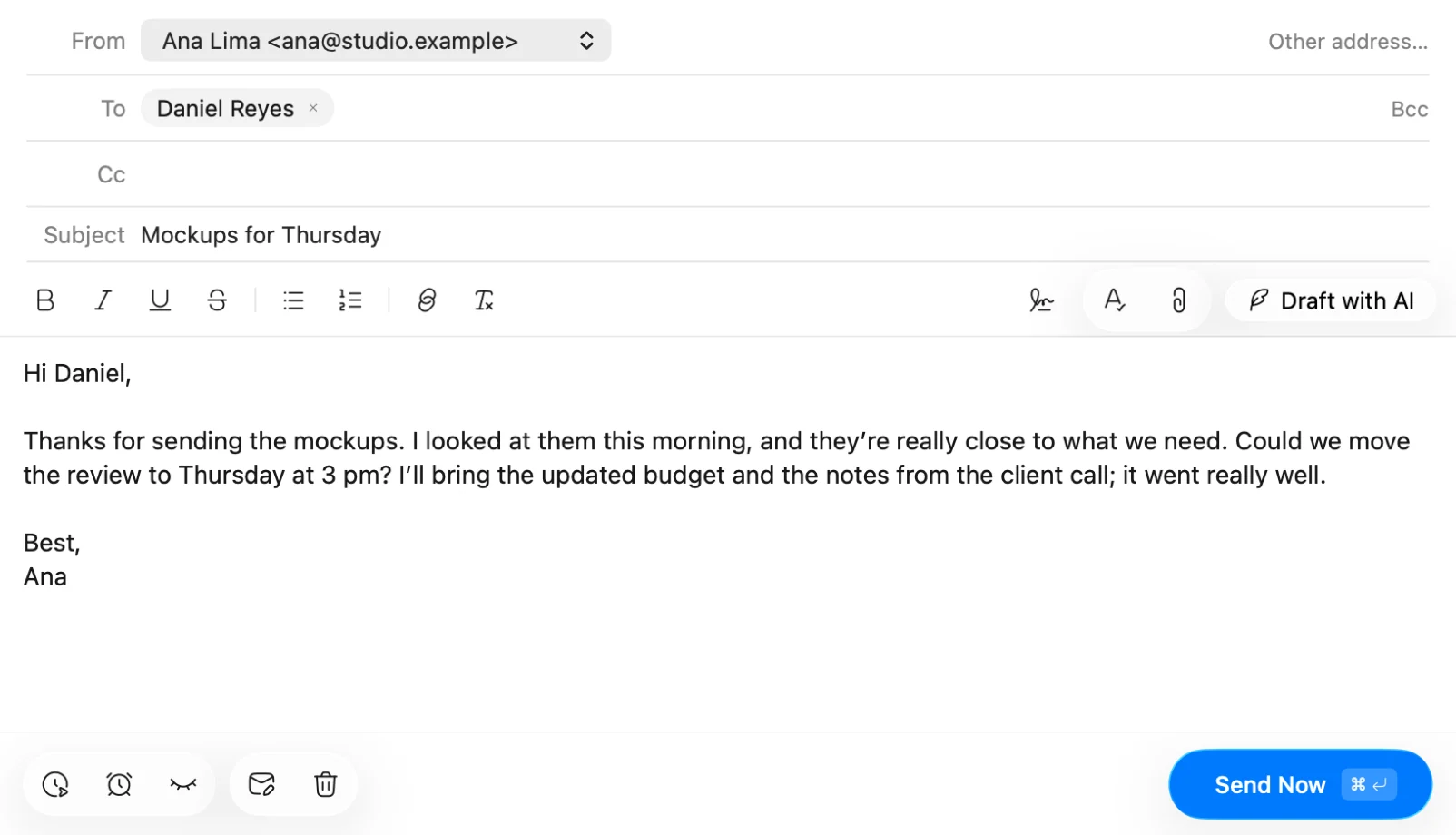
You write an email fast, between two other things. Then you see it: a typo, a missing comma, "their" instead of "there". Or you write in your second language and aren't sure it sounds right. Fix Grammar fixes it in one click, right where you write.
What it fixes
Three things: grammar, spelling and punctuation. Nothing else.
- Your words stay where they're already right.
- Your tone stays. A short, casual note stays short and casual.
- Your language stays. German stays German.
- Your formatting stays. Bold text, links and paragraphs don't change.
It's not a rewrite. It's your email, without the mistakes.
On the Mac
- Click Fix Grammar beside Attach. With nothing selected, it fixes the whole message.
- Or fix one part. Select some words, right-click and choose Fix Grammar.
The fixed words light up for a moment, so you can see what changed.
On the iPhone
- Tap Fix Grammar in the composer's toolbar.
- Or select words and choose Fix Grammar from the menu.
Why not a grammar extension?
Grammar tools usually live in the browser, and often don't work in a Mac mail app. Fix Grammar is built into GotEmail, for every account: Gmail, Outlook, iCloud or any IMAP. Nothing to install.
Privacy
With Apple Intelligence on, the fix happens on your device. With your own AI key, the text goes straight to that provider. Otherwise it goes to GotEmail's AI service, which doesn't train on it. Only the text being fixed is sent, never your mailbox.
Questions
Does it change my style?
No. It fixes grammar, spelling and punctuation only. It doesn't rewrite, shorten or translate.
Which languages?
Any language you write in. Your text stays in its language.
Does it touch the email I'm replying to?
No. It fixes only what you wrote.
Do I need Grammarly or another extension?
No. Fix Grammar is built into GotEmail.
Can I turn it off?
Yes. Turn off Settings → AI → Use AI.