 GotEmail

Waitlist GotEmail in your browser
GotEmail on the web
The same inbox as on your Mac, in Safari, Chrome, Edge or Firefox: on a Windows PC, a Linux box, a Chromebook, or a Mac that isn't yours. Leave your email and we'll tell you when it's your turn.
Included with Monthly and Yearly.
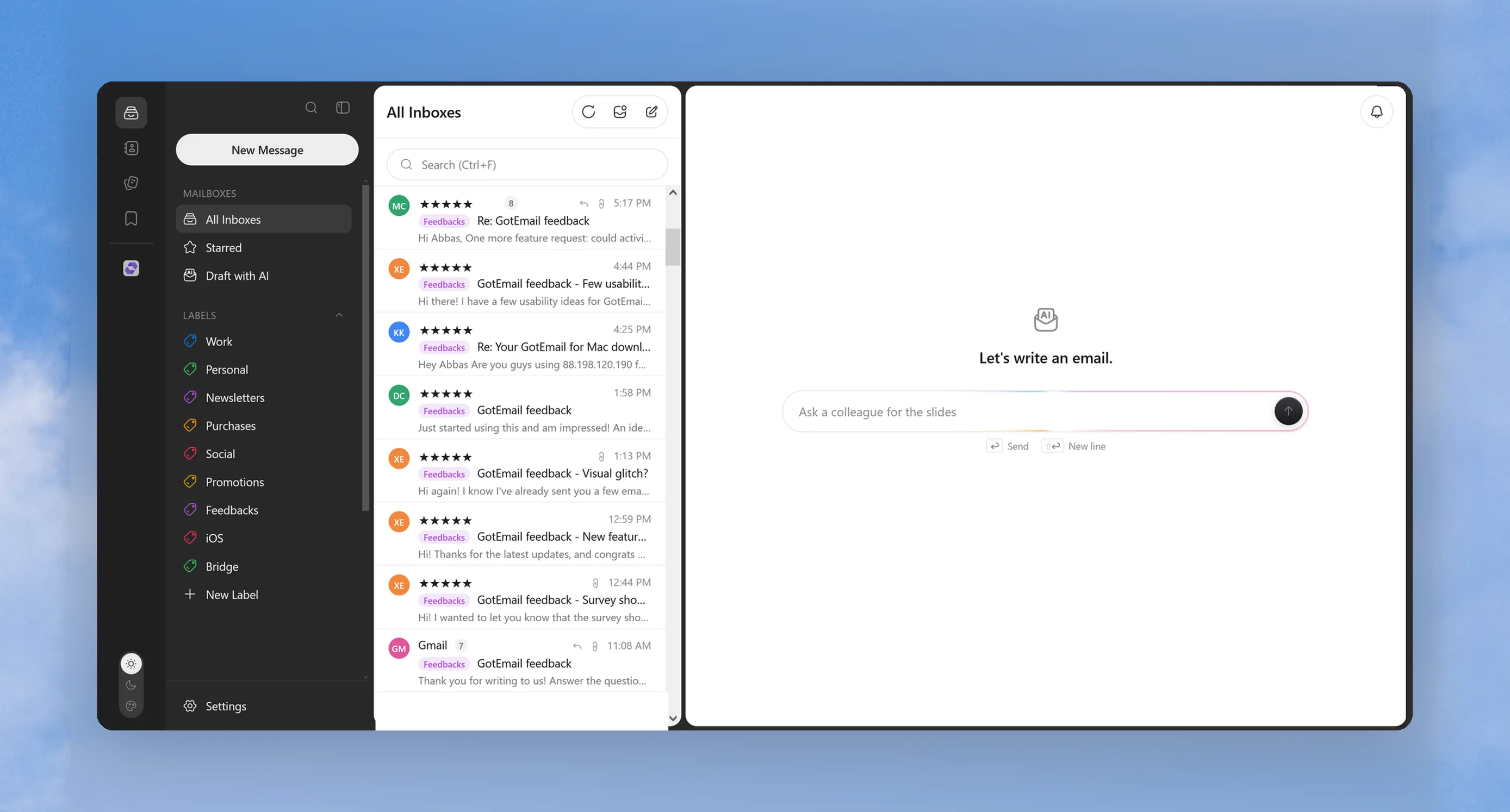
In the browser
Your mail, in one place. On any computer.
GotEmail for Gmail, iCloud, Outlook and any IMAP account, in a browser tab.
Every account in one inbox
Gmail, iCloud, Outlook and any IMAP account, together in one list.
Nothing to install
Opens in Safari, Chrome, Edge or Firefox. Sign in, and your mail is there.
Any computer
A Windows PC, Linux, a Chromebook, or a Mac that isn't yours.
Live, as mail lands
New mail appears the moment it arrives. No reloading.
In step with the Mac
Your labels and folders are kept on the mail server, so the web shows the same mailbox.
AI when you ask
A summary of a long thread, or a draft of your reply. Only when you ask for it.
Already on GotEmail for Mac?
The same mailbox, wherever you sit.
Your labels and folders live on the mail server, not on one machine. What you see on the Mac is what you see in the browser, and a change on either side shows on the other.
The waitlist
How it works
Join the list
Leave your email address. That is all we need.
We email you when it's your turn
We're opening the web to people in the order they joined.
Open GotEmail in your browser
Sign in from any computer. Nothing to download, nothing to install.
Join the waitlist
We'll email you when it's your turn.
Is it sold on its own? No: GotEmail on the web comes with a Monthly or Yearly subscription, with the same license key as the Mac. Lifetime covers the Mac. See the plans
We use your address only to tell you about GotEmail on the web. Privacy Policy