 GotEmail
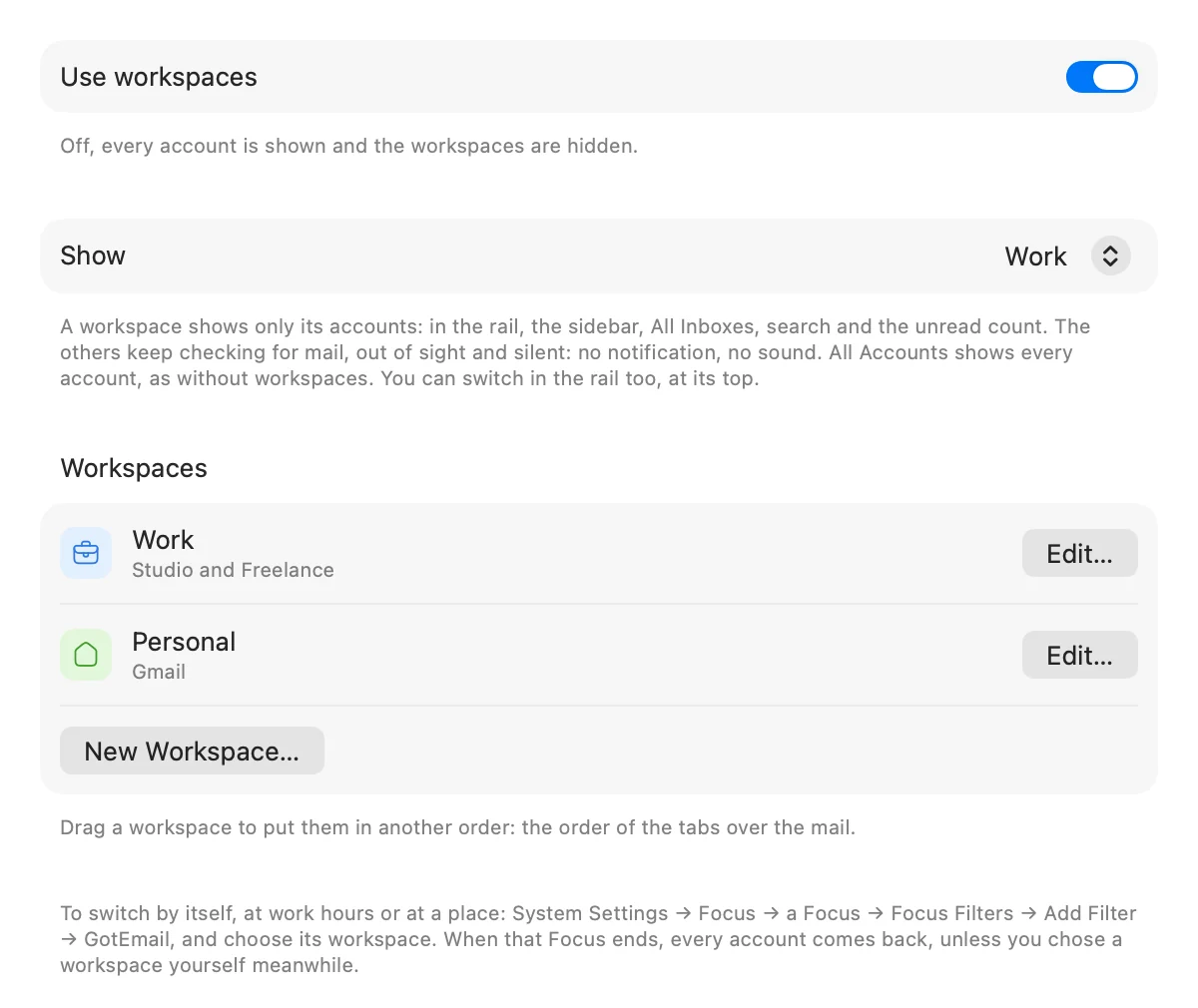
One app for all your email is great, until it's Saturday and your work inbox is still there. Workspaces fix that. All your accounts stay in GotEmail, but you only see the ones you need right now.
How it works
A workspace is a name and a few accounts. For example:
- Work: your company account and a client's.
- Personal: Gmail and iCloud.
While a workspace is on, you see only its mail: in the sidebar, in All Inboxes, in search and in the unread count. The other accounts still get mail, but quietly, with no notifications and no sounds.
Create one
- Open Settings → Workspaces and click New Workspace…
- Name it, for example Work.
- Pick a colour and a mark: its first letter, a symbol, or your own picture, like your company logo.
- Tick its accounts and click Create.
Your workspaces now sit as tabs above your mail, next to All Accounts.

Switch in one click
- Click a tab above your mail.
- Or press ⌃⌘1–⌃⌘9. ⌃⌘0 shows all accounts.
New mail in another workspace? A small dot shows on its tab, so you know without being disturbed.
Let Focus switch for you
Open System Settings → Focus, pick a Focus, then Focus Filters → Add Filter → GotEmail. Now your Work Focus opens your Work workspace. When the Focus ends, all accounts come back.
On your iPhone too
GotEmail for iPhone has workspaces in Settings → Workspaces. With sync on, the ones you made on your Mac appear there by themselves.
Questions
Do hidden accounts still get mail?
Yes, quietly: no notifications or sounds until you switch back.
Can one account be in two workspaces?
Yes. You choose the accounts for each workspace separately.
Does deleting a workspace delete mail?
No. Only the group goes. Your accounts and mail stay.
Does it work on iPhone?
Yes. With sync on, your workspaces come from your Mac.
Can I hide workspaces?
Yes. Turn off Use workspaces in Settings → Workspaces.